New: sold-out sessions stay visible in your booking widget
When a session filled up, it used to disappear from your booking widget and the eola marketplace. Customers saw gaps in your timetable and could think you’d stopped running it. Now full sessions and fully booked activities stay on show, marked Sold out, so customers can see what you run and pick another time.
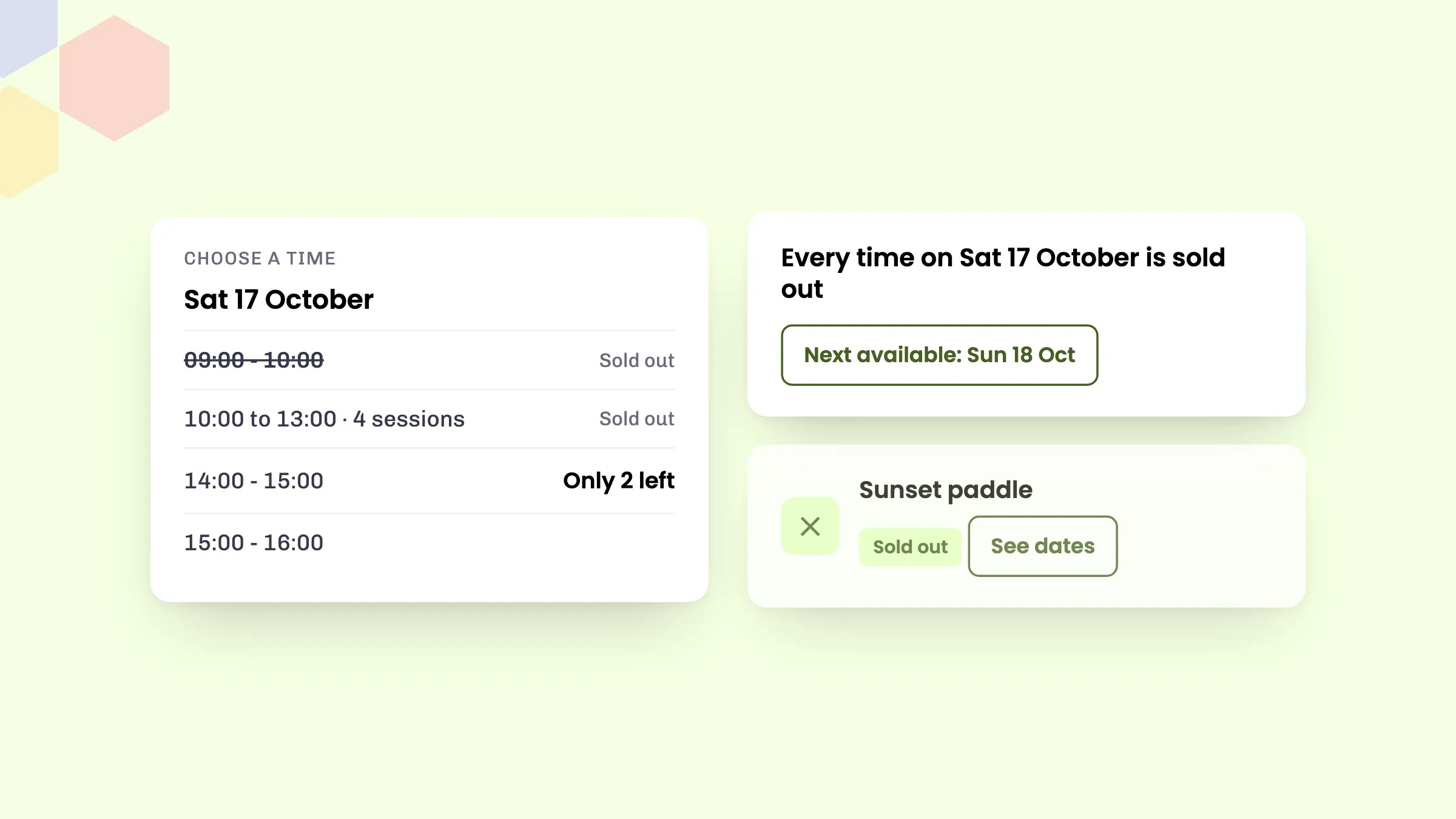
What customers see
- Sold-out times: a full session stays in the list of times, struck through and marked Sold out. Customers can’t choose it, so they go straight to the times they can book.
- Runs of sold-out times: four or more full sessions in a row fold into one row, such as “10:00 to 13:00 · 4 sessions”, so a busy morning doesn’t push the free times off the screen. Customers can tap it to see each time.
- A few places left: a time with three or fewer places left says so, for example “Only 2 left”. It only shows when that’s no more than half the session, so a one-to-one lesson isn’t always flagged as nearly full.
- Sold-out days: in the date picker, a day where every session is full is marked Sold out, and customers can still choose it to see its times. The page then says “Every time on Sat 17 October is sold out” and offers a “Next available: Sun 18 Oct” button that jumps to the next day with space.
- Fully booked activities: an activity with no space left on any upcoming date stays in your list of activities, with a greyed-out photo and a Sold out label, after the ones customers can still book. Its page has a See dates button that opens its dates, so customers can see what’s coming up.
Why it helps
A full timetable is good news, and now customers can see it. Sold out labels show your sessions are popular, and “Only 2 left” gives a reason to book today rather than next week. Customers who find their first choice full are pointed to the next day with space, instead of leaving to look elsewhere or ringing to ask whether you’re still running it.
If you’re new to the widget, see what your customers see when they book.
How to set it up
There’s nothing to switch on. Sold-out sessions and activities show automatically on your booking widget and on your listings on the eola marketplace. A session shows as sold out as soon as it has no places left, and becomes bookable again if a place frees up.
Good to know
- This covers activities. Rentals and accommodation work as before.
- Only full sessions are marked sold out. Sessions you’ve closed to more bookings, booked privately or that are inside your minimum notice still don’t show. Nor does a session that has places left but no staff or equipment free.
- Want to add a few more places to a popular session? You can change the capacity of a single session from your calendar.
See eola in action
Want to see how this could work for your business? Book a demo or get in touch with our team.