How to write activity listings that get booked
Your listing does the selling when you’re not there. Customers often read it in the evening, on a phone, comparing you with two or three other places. If it’s clear what they’ll do, what it costs and what to bring, they book. If not, they ring you or move on.
This guide goes through each part of an eola listing in the order you fill it in, then covers how to help people find you on Google and the eola marketplace.
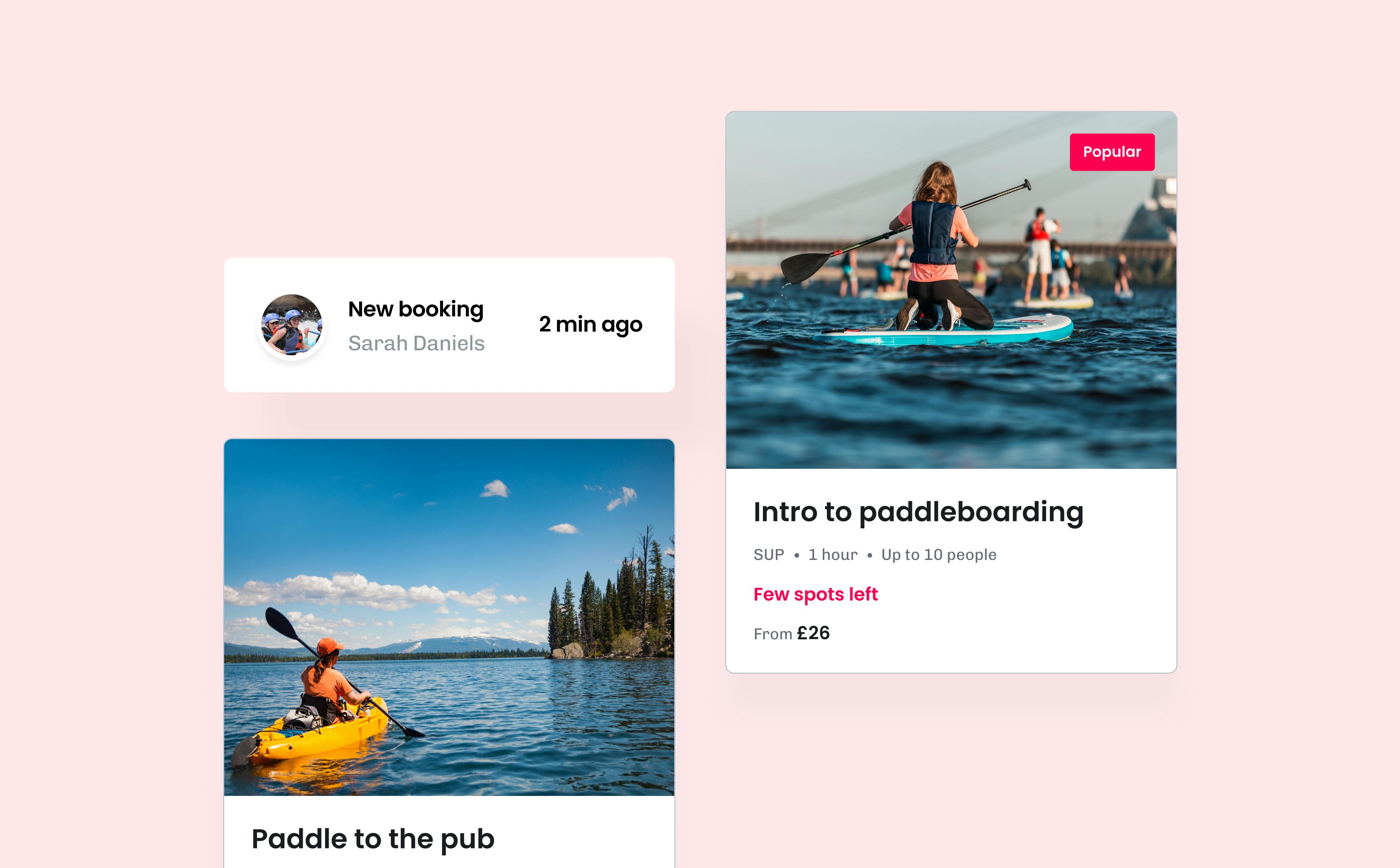
Titles: say what it is
The Activity title can be up to 40 characters, so make each one count. Say what customers will do and, where it helps, who it’s for. “Beginner surf lesson” or “Family kayak trip” tells people far more than “1 hour session”.
Your activity cards already show the duration, the maximum group size and the town, so you don’t need to repeat them in the title.
Taglines: one line that sells
The Tagline is a single sentence of up to 120 characters. Use it for the thing that makes people want to go. “Paddle a quiet river to a riverside pub for lunch” does more work than “A great day out”.
On Pro, the Content writer can write a tagline, highlights and a search description for each product from the details you’ve added.
Descriptions: short and specific
eola suggests about 50 words for the Description. It appears on your booking page and in the email customers get after they book, so lead with what they’ll experience and anything they must know first.
- Keep it short. Long paragraphs mean a lot of scrolling on a phone.
- Don’t paste your website copy. Customers on your booking page want the essentials, not your history.
- Say what’s included, such as wetsuits, boards, a guide or photos.
- Leave out “call to book”. If everything customers need is on the page, they book instead of phoning you.
Answer questions before they’re asked
The Customer comms section of each activity’s Details step has a field for the questions customers usually ring about. Bullet points work best in each one:
- What are the requirements, if any? For example swimming ability, minimum age or fitness level.
- What should the customer bring? A change of clothes, a towel, sun cream, a packed lunch.
- Itinerary - what will they do? The shape of the session, from the safety briefing to the last run.
- Post purchase information: sent after booking. Use it for parking, where to meet and when to arrive.
Add a Meeting point too, so customers know exactly where to go and your cards show the right town. Every question you answer here is one less phone call on a busy morning.
Photos: show the experience
Customers look at the photo before they read a word. Add one to each activity on its Options step, under Display. If you don’t, eola shows the default image for that activity type, which you can change under Toolset > Widget > Activity images.
- Show people taking part, ideally your own customers and instructors, rather than empty kit or a logo.
- Use landscape photos. Your booking page shows the photo in a 3:2 landscape frame and the activity cards crop it to a wider strip, so keep the main subject in the middle.
- Choose bright, sharp, large photos. Small images look blurry when they’re stretched across a screen.
- Add your logo and cover photo in Toolset > Centre settings, so your booking page looks like your business.
Prices: no surprises
Prices are set on each activity’s Pricing step, and your cards show a “From” price. Make the full picture easy to understand:
- Set separate adult and child prices if they differ, rather than explaining it in the description.
- Use add-ons for extras like wetsuit hire or photos, with a short tagline saying what each one includes.
- Add group discounts if you offer them. Your cards then show a Group discounts tag.
- If your prices change through the year, use seasonal pricing instead of editing them every season.
Help people find you

People search for an activity and a place: “paddleboarding Bristol”, “kids climbing Peak District”, “beginner surf lessons Cornwall”. Use the words your customers use in your titles, taglines and descriptions, and write for people first. A listing stuffed with keywords reads badly and won’t win you more bookings.
Your centre description, in Toolset > Centre settings, can run to 3,000 characters. Use it to say what you do, where you are and who you’re for.
The eola marketplace is where people search for things to do by area and activity, and it’s included on every plan. Go to Toolset > Apps, open Marketplace and select Add to eola. If an activity shouldn’t appear there, switch on Hide from marketplace on its Options step.
Reviews help new customers choose you. Review links ask every customer for a review after their visit.
Quick dos and don’ts
- Do check your listings on your phone, the way many customers will see them.
- Do update photos and descriptions when an activity changes.
- Don’t write in capitals or pile on exclamation marks.
- Don’t promise what you can’t guarantee, like wildlife sightings or perfect weather.
Getting ready for the season? Our pre-season checklist covers the rest of your set-up.
See eola in action
Want to see how this could work for your business? Book a demo or get in touch with our team.