Sell more vouchers this Christmas
An experience makes a great Christmas present, and gift buyers start looking in November. If your vouchers are set up and easy to find before then, you take money in the quietest months of the year and fill sessions next season, often with customers who have never booked with you before.
Why vouchers work for activity businesses
- Money in before the season starts, when bookings are quiet and bills still need paying.
- New customers: the person who receives a voucher is often new to you, and they usually bring friends or family along.
- Flexibility: customers buy now and choose a date later, when the weather and their diary suit them.
Two kinds of voucher in eola
Credit vouchers are an amount of money, for example £50, that customers can spend on anything you sell. They suit people who aren’t sure what the person they’re buying for would like. Credit vouchers are included on every plan, including Starter.
Activity vouchers are a gift of a specific activity. The person who receives it uses the code to choose their date. They suit your best-known experiences, like a taster session or a family day out.
How to set them up
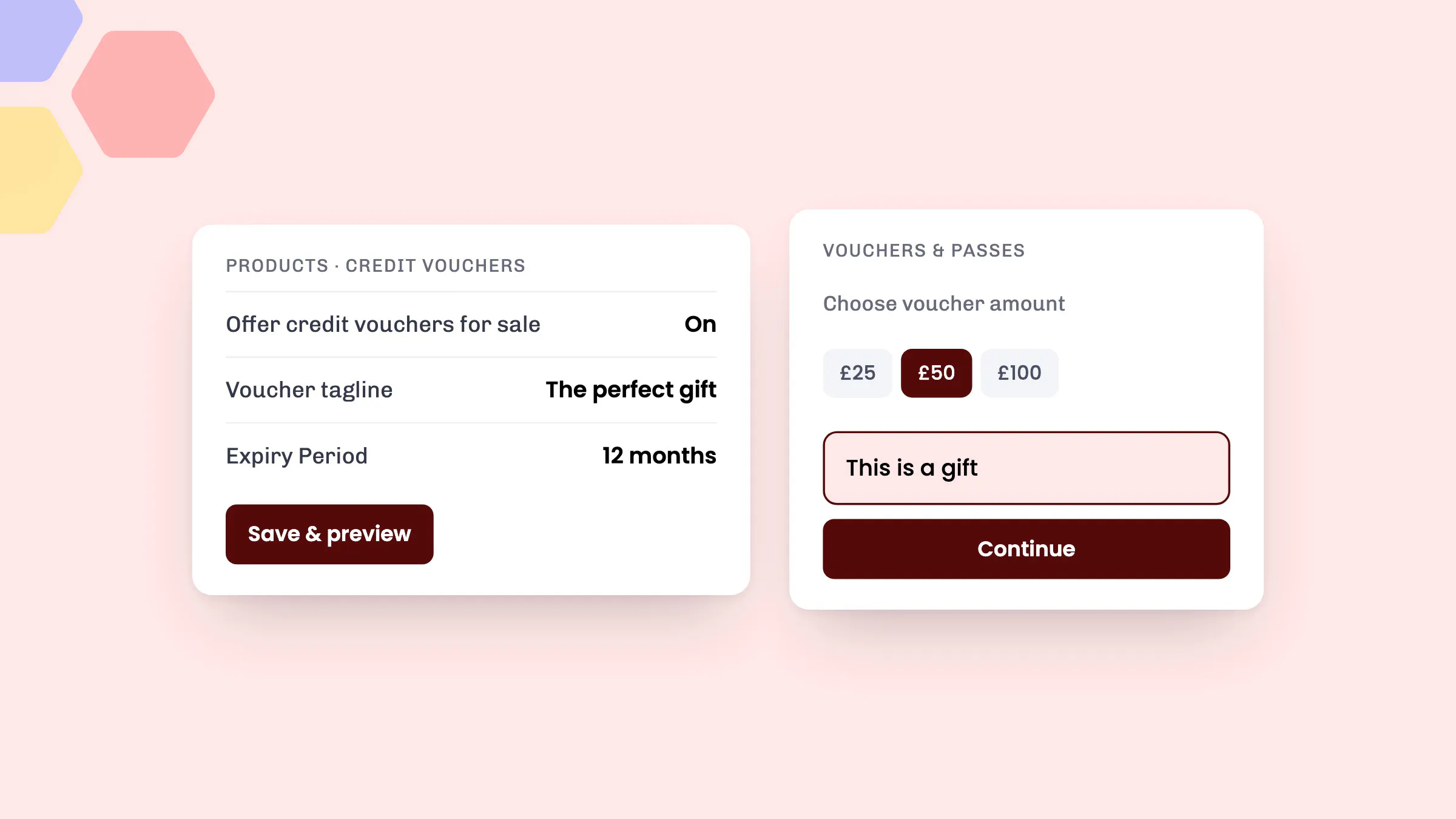
- Go to Products > Credit vouchers.
- Make sure Offer credit vouchers for sale is switched on.
- Add a Voucher tagline and Voucher text for the page where customers buy them, and set the Expiry Period (12 months by default).
- Upload a Voucher template image and add any Text to display on pdf. A festive image is a nice touch for December.
- Select Save & preview to check how it looks.
For activity vouchers, open each activity, go to its Options step and make sure Allow customers to buy vouchers for this activity is ticked. It’s on by default.
What customers see
Your vouchers appear in the Vouchers & passes section of your booking widget. Customers choose an amount or an activity, tick This is a gift if it’s a present, and get the voucher code by email straight after they pay, so last-minute gifts work too. To use it, they select I have a voucher or pass at checkout and enter the code.
Make Christmas count
- Put a “Buy a gift voucher” button on your website’s home page and in your menu, linking straight to your vouchers.
- Post gift ideas on social media from mid-November, with a reminder in the last week before Christmas.
- Email past customers. They already know how good your sessions are, so they’re the most likely to buy vouchers for friends and family.
- Sell at the front desk and over the phone: in New booking, use Add Credit Voucher to sell one in person.
Good to know
- Every voucher you sell is listed under Sales > Credit vouchers and Sales > Activity vouchers. You can also search for a voucher code to see its balance.
- A credit voucher can be spent over more than one booking until its balance runs out.
- Your other Christmas jobs are in our end of season checklist.
See eola in action
Want to see how this could work for your business? Book a demo or get in touch with our team.